
EDGEGO

EdgeGo

NEW

Order Code: EDGEGO

IP rating
 IP20
Weight
4,1kg / 9.04lbs 

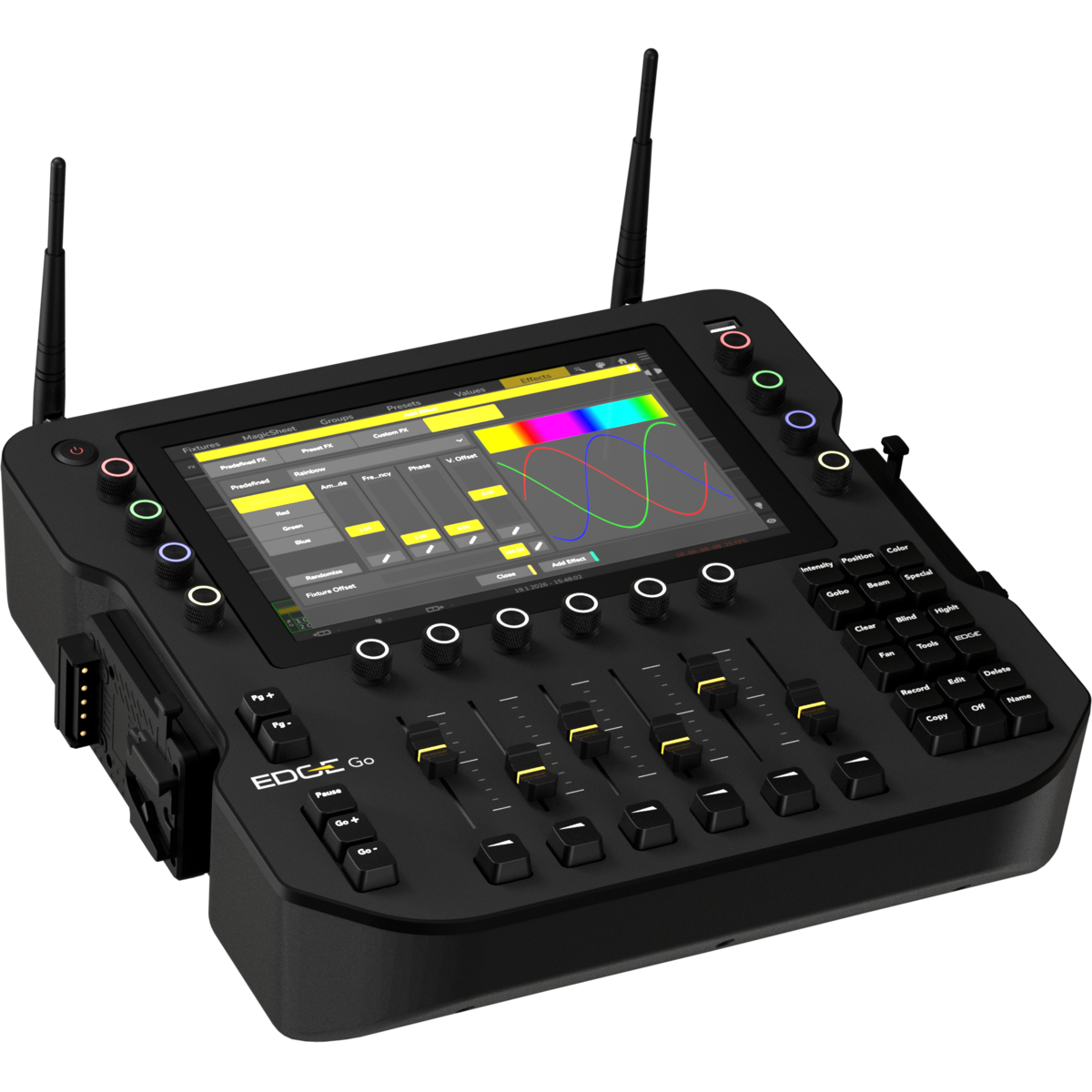
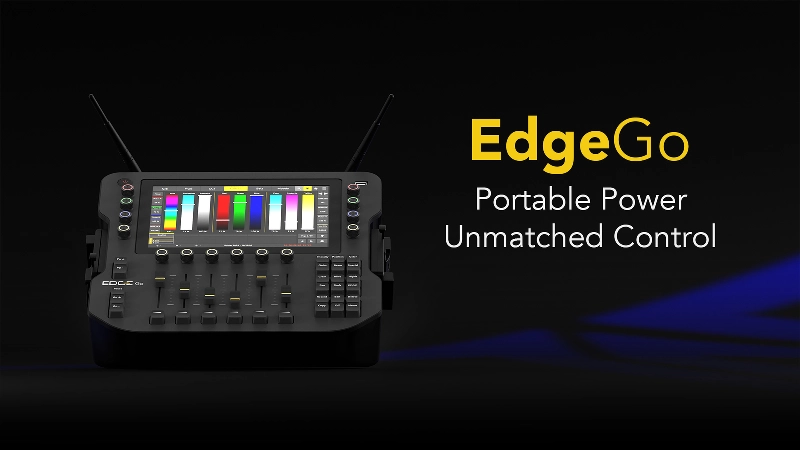
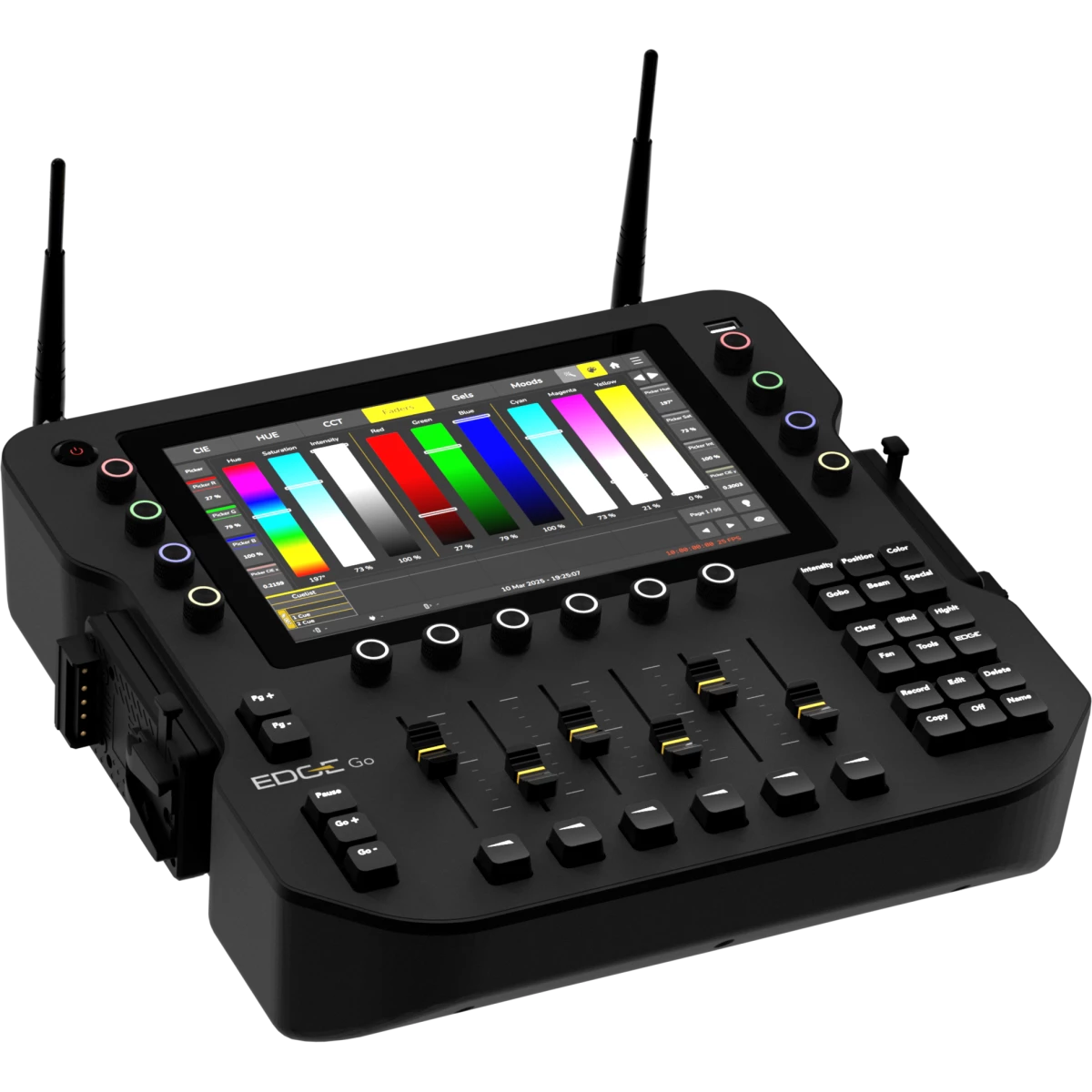
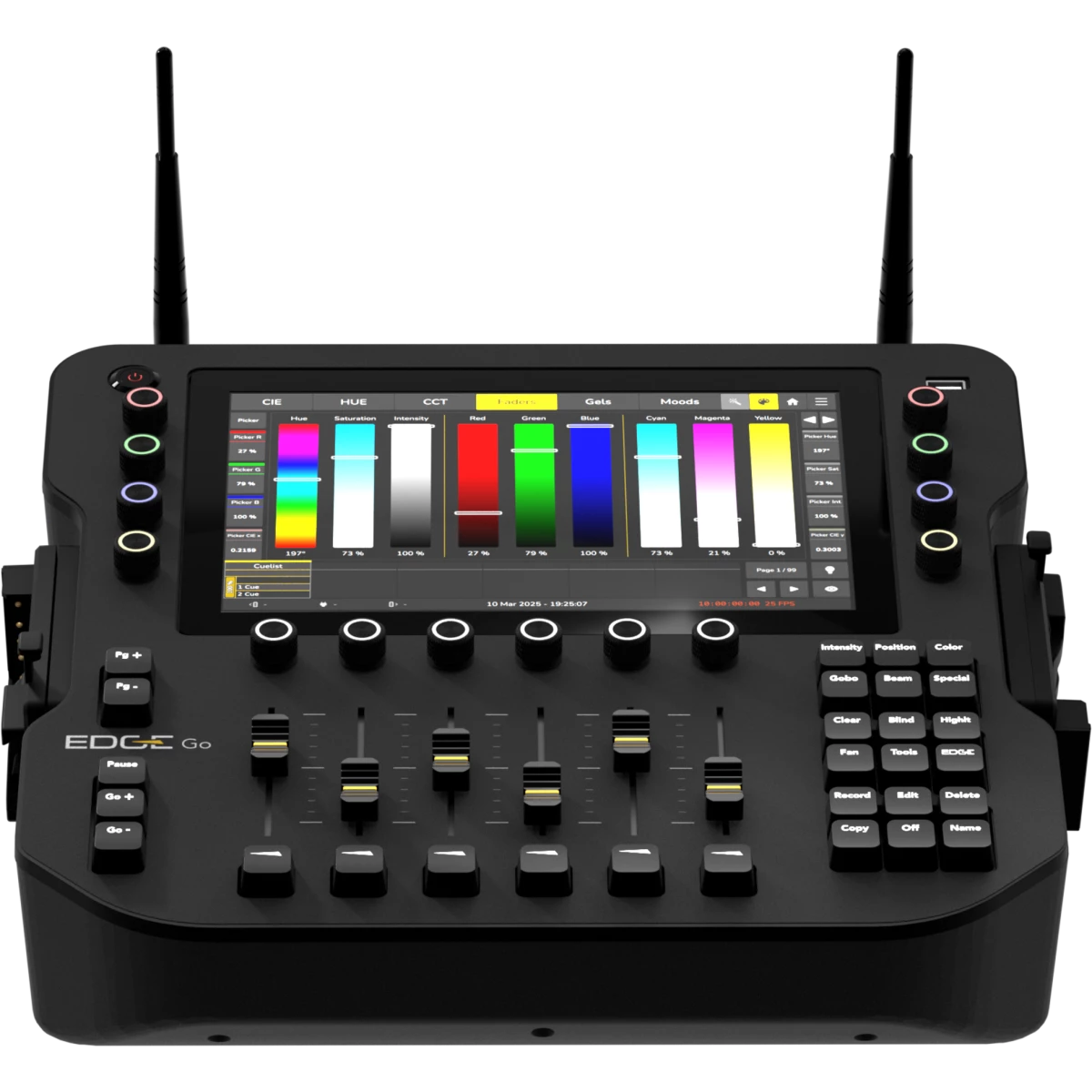
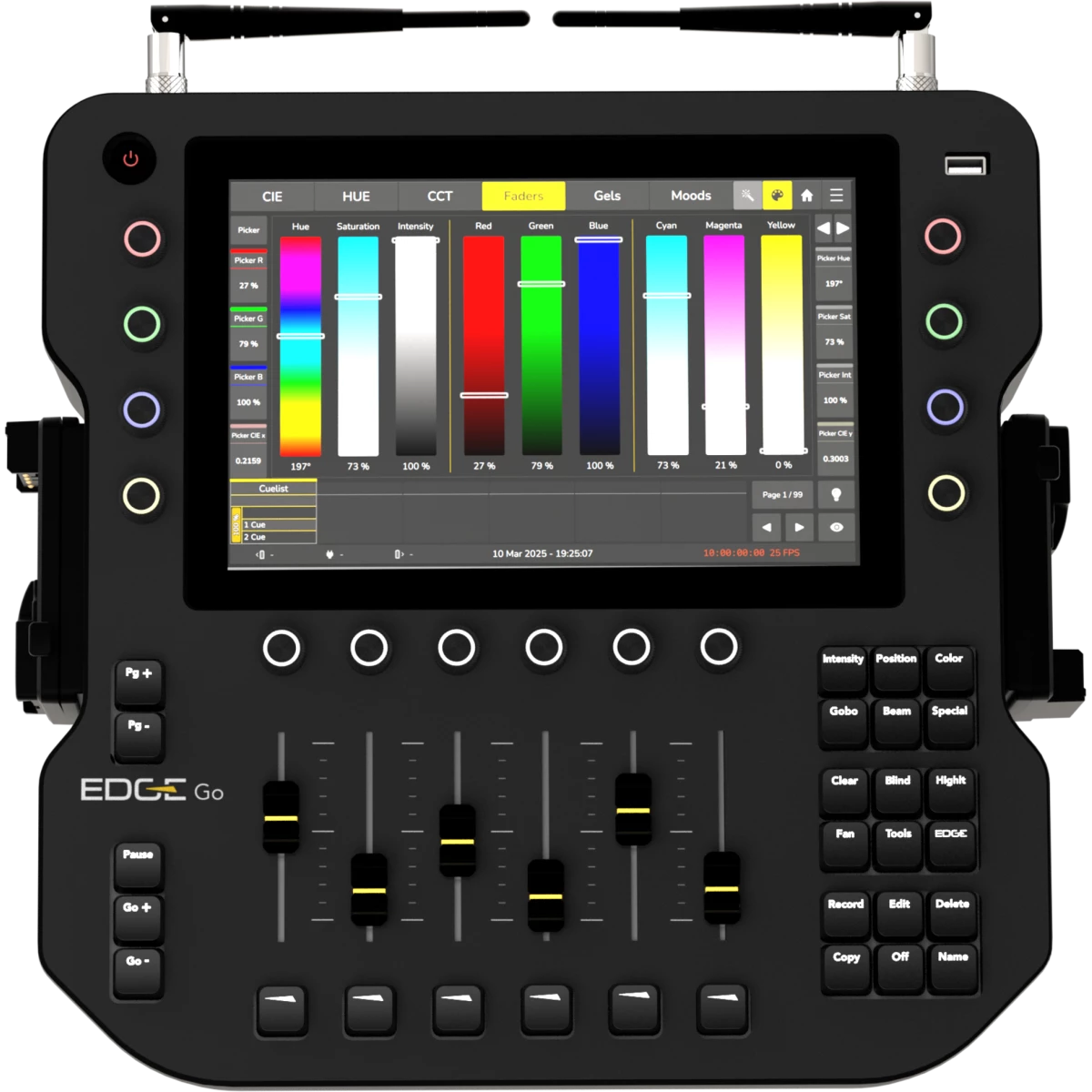
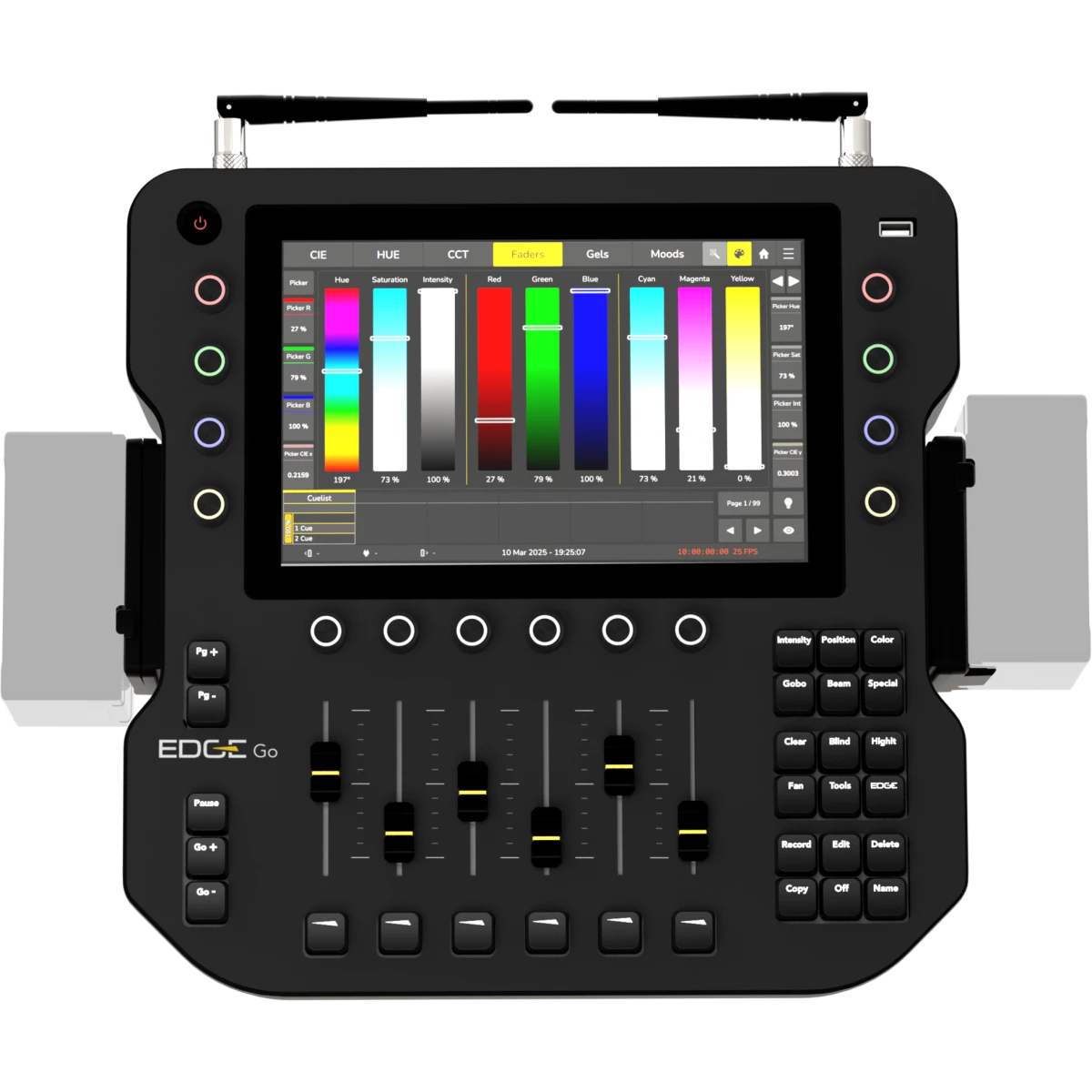
EdgeGo is a portable lighting console designed for professional use on location or in the studio. It delivers four DMX universes, with output via wireless CRMX, XLR, or Ethernet (Art-Net/sACN). The hardware features a 10.1" touchscreen, 8 RGB encoders, 6 playback faders, and an HDMI output.

EdgeGo operates on V-Mount batteries or a 24 V DC supply, and its lightweight, fan-free chassis is built from reinforced polycarbonate to comply with carry-on luggage standards.

  • Seamless Energy Source Switching: Automatically switches between power sources without requiring a restart.
  • Extensive Fixture Library: Includes 30.000+ fixture types and a built-in fixture editor.
  • Advanced Color Management: Accurate color calculations for up to 9 emitters using xyY data.
  • Comprehensive Color Selection Tools: Features CIE Picker, HUE Picker, CCT Picker, faders, gels, and mood-based selection.
  • Powerful Playback Engine: Unlimited simultaneous active cue lists, Tracking and non-tracking modes, Priority-based operation, Automatic synchronization of running effects
  • Customizable Fader Layout: Configure faders, buttons, encoders, and push encoders to suit your workflow.
  • MagicSheet Interface: Freely arrange and interact with fixtures, groups, labels, and images.
  • Programmer Tools: Includes Fanning, Sub-Selection, Highlight, and Blind mode for efficient programming.
  • Dynamic Effect Engine: Features predefined effects, preset-based effects, and a custom effects editor.
Read less
EdgeGo is a portable lighting console designed for professional use on location or in the studio. It delivers four DMX universes, with output via wireless CRMX, XLR, or Ethernet (Art-Net/sACN). The ha...

Photo Gallery

Specifications

CONTROL SURFACE
  • On-board Screen: 10.1” Full Color Touchscreen
  • Playback Faders: 6 linear faders
  • Playback Encoders: 6 rotary push-encoders with RGB backlight
  • Value Encoders: 8 rotary push-encoders with RGB backlight
SOFTWARE
  • DMX Channels: 2048ch
  • DMX universes: 4 DMX universes freely mappable between CRMX, DMX, ArtNet, s-ACN
  • Playback Pages: 99 + 1 Template Page
  • Memories: 250 Presets per Feature Group, 100 Fixture-Groups
  • Max Fixtures: Limited by DMX Channels
  • External Control: MIDI trigger. MIDI Timecode, OSC
  • Software update: via USB stick or online server (requires internet connection)
  • Library update: via USB stick or online server (requires internet connection)
CONNECTIVITY
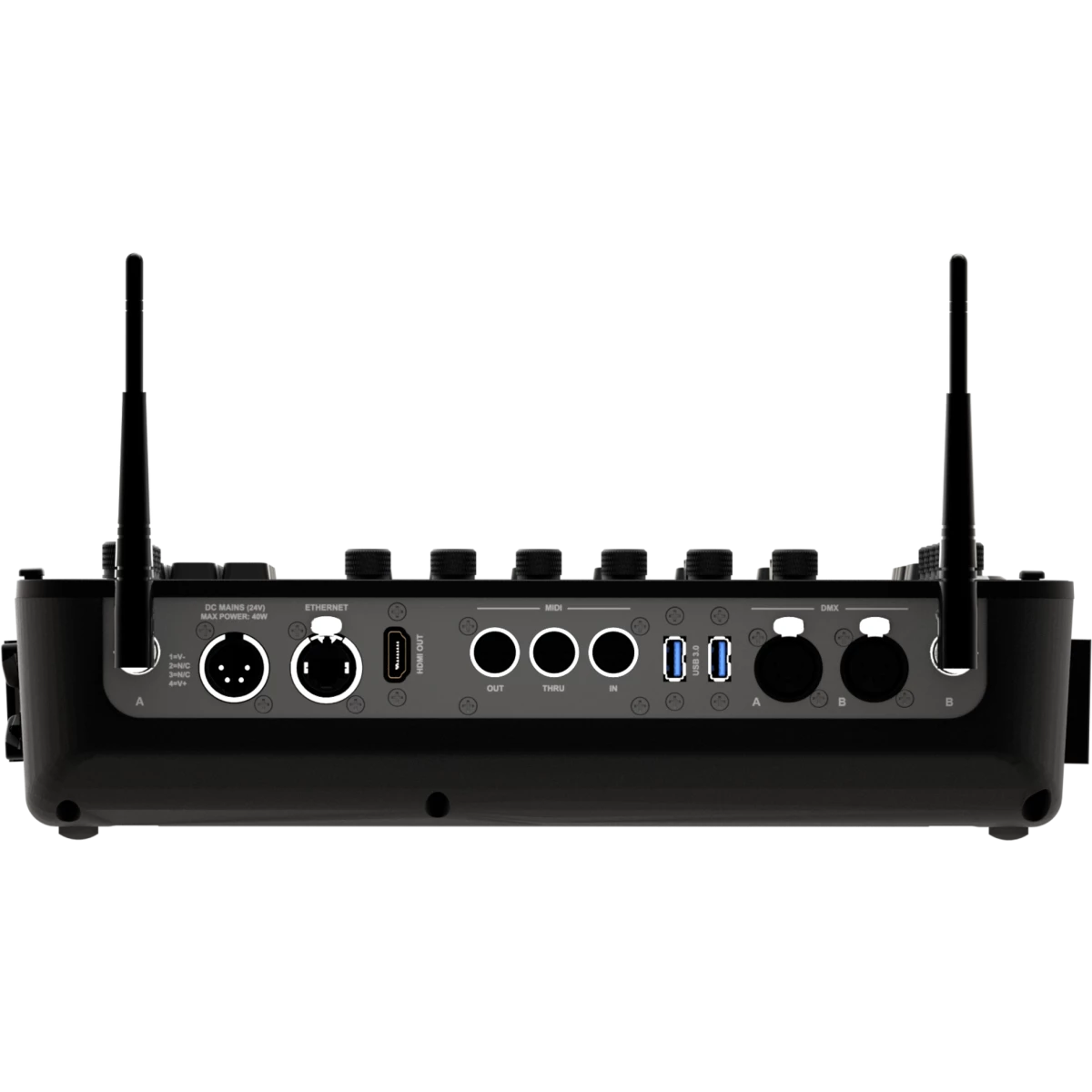
  • DMX out: 2 freely mappable
  • ArtNet: 4 universes, freely mappable
  • sACN: 4 universes, freely mappable
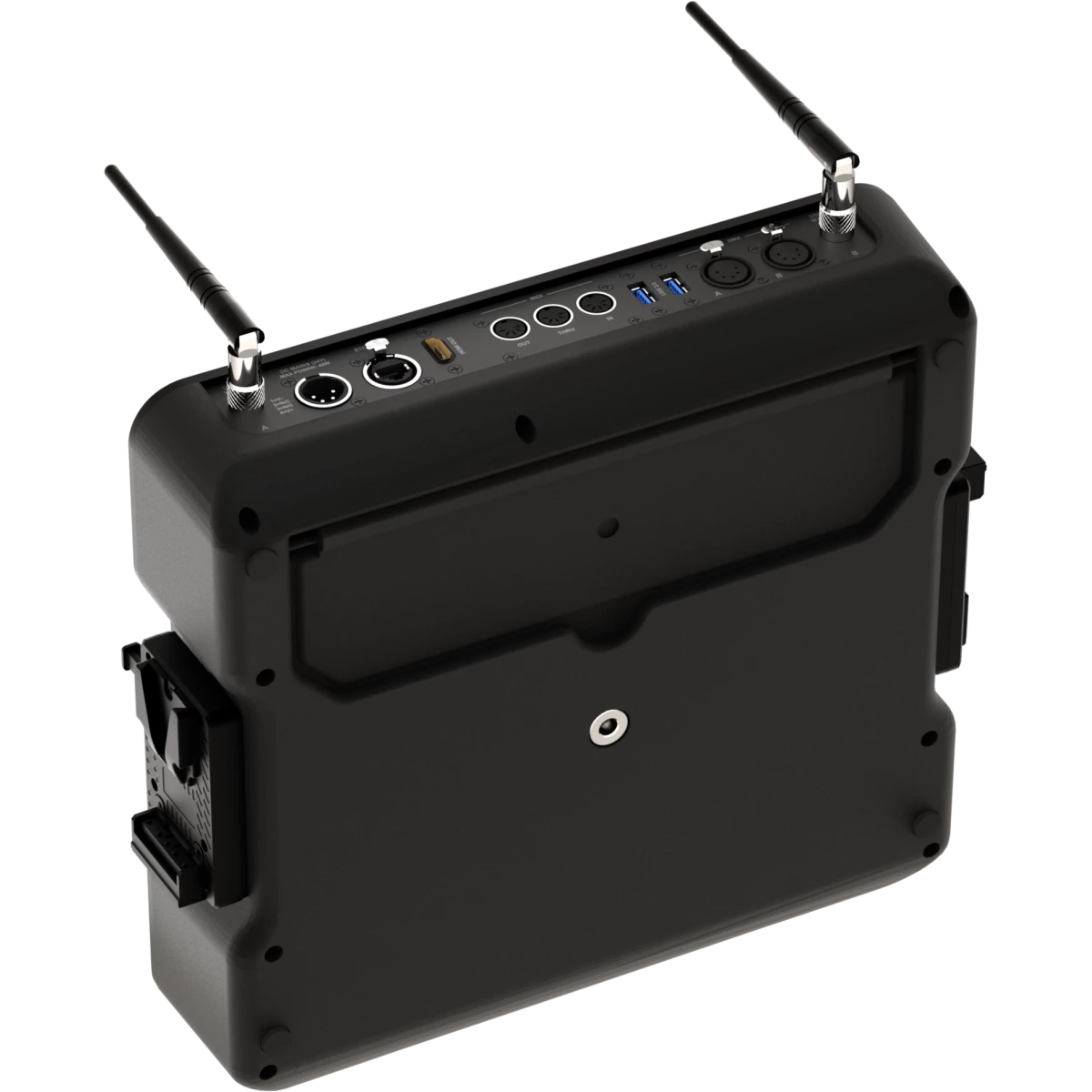
  • MIDI: In / Through / Out
  • Wireless: 2x DMX universes freely assignable to any of the TimoTwo LumenRadio modules — CRMX or W-DMX, with Bluetooth support
  • External Display: 1 HDMI out
BODY
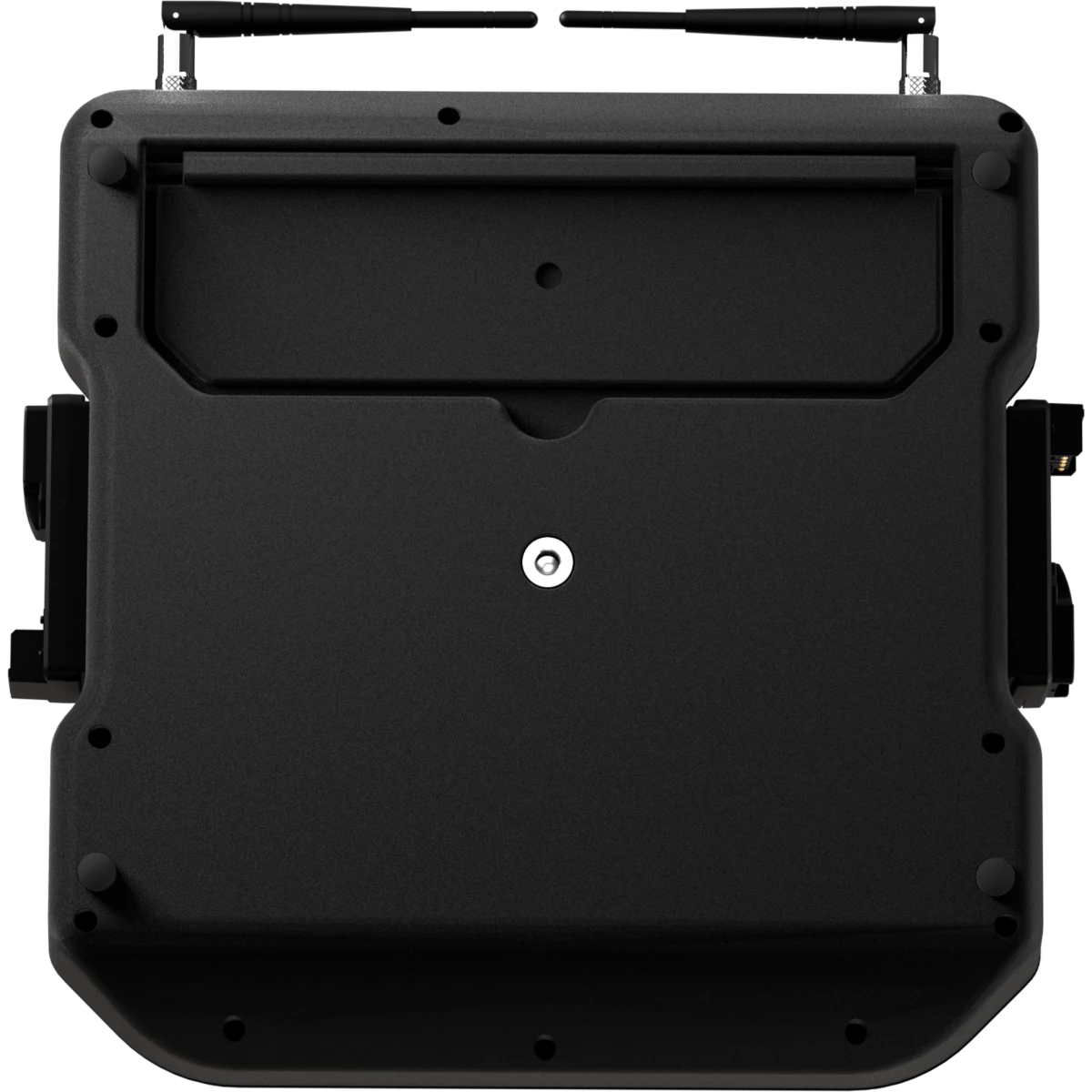
  • Hardware on-board: Tilt adjustament bar
  • Housing: Sturdy polycarbonate body
  • Finish: black
ELECTRONICS
  • Operating temperature: Ta 0 to +45 °C (+32 to +113 °F)
ELECTRICAL
  • Low Voltage DC mains: 24V via DC IN through external power supply, 14,4-28,8V with V-Lock batteries connection
  • Max power consumption: 40W
  • Standby power: 23 W
BATTERY
  • Battery: 24V compatible with external power supply and V-Mounts batteries (14.4-28.8Vdc) - battery not included
PHYSICAL
  • IP rating: IP20
  • Cooling: passive, fan-free
  • Data: 3 x USB ports (1 on the top, 2 on the back)
  • Signal connection: 2 x Seetronic XLR 5p OUT connector
  • Data connection: 1 x RJ45 IN/OUT
  • Wireless Antenna: 2 RP-TNC female connector
  • Low Voltage DC connector: XLR 4P for 24V, 2 x V-Mount adapter (14,4V)
  • Dimensions (WxHxD): 374x98x356mm / 14.72''x3.86''x14.02''
  • Weight: 4,1kg / 9.04lbs
CERTIFICATIONS / APPROVALS
  • Certifications / Approvals: CE, RCM, FCC, cTUVus
BOX CONTENT
  • 1 x EDGEGO
  • 1 x VDE15BEL010
  • 2 x AEB2DBA
  • 1 x external power supply

Accessories & Related Products

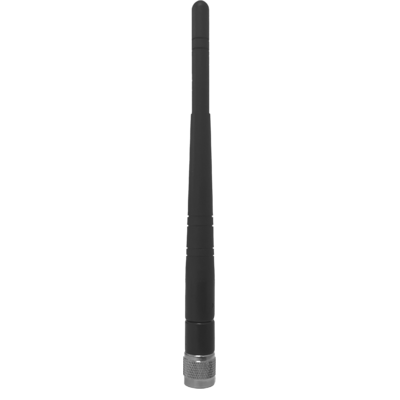
Included AEB2DBA

2 dBi Omni antenna (RP-TNC male connector) for AETHERBOX and CRMXBOXIP67

Order Code: AEB2DBA

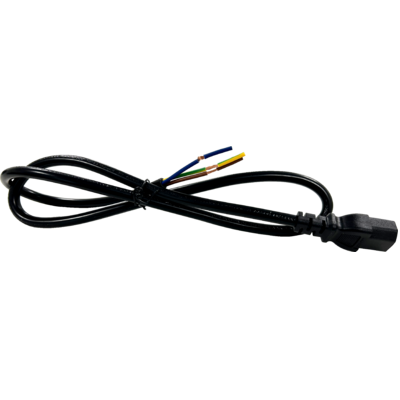
Included VDE15BEL010

Power cable VDE socket, bare-end, 3 X 1,5mm², L.1m

Order Code: VDE15BEL010

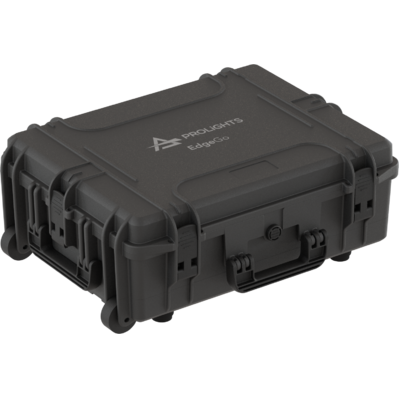
Optional EDGEGOBAG1U

Empty ABS case for 1 pc of EDGEGO

Order Code: EDGEGOBAG1U

Downloads

Technical documentation and support files

Data sheet & specs Data sheet & specs
File name File size Download
Letter datasheetEdgego_LETTER_DATASHEET_(EN).pdf(17/09/2025)514KB
Letter datasheetEdgego_A4_DATASHEET_(ITA).pdf(17/09/2025)521KB
Letter datasheetEdgego_A4_DATASHEET_(EN).pdf(17/09/2025)514KB

User manual User manual

File name File size Download
User manualEdgego_Quick_Guide_EN.pdf(04/09/2025)2MB
Online user manual

CAD symbols & drawings CAD symbols & drawings

File name File size Download
3D SKPEdgego_3D.skp(08/01/2025)3MB
3DEdgego_CAD_3D.dwg(08/01/2025)1MB
2DEdgego_CAD_2D.dwg(10/01/2025)8MB
2D cad symbolsEdgego_CAD_2DSYMBOLS.dwg(10/11/2025)46KB
Technical drawingEdgego_TECHNICAL_DRAWING.pdf(10/01/2025)745KB
VectorWorksVECTORWORKS_SYMBOLS.vwx(10/11/2025)802KB

Firmware

Update Tool: {Upbox}
Check hardware changelog before downloading firmware
Revision Release date Firmware changelog HW Compatibility
1.1.0 STABLE 03/02/2026

New Features:

  • Added ability to Copy / Move cues between Playbacks using the Command Line, eg Copy Playback 1 Cue 1 Playback 4 Cue 10 (https://prolights-edge.nolt.io/95)
  • Added the ability to exchange fixture types (https://prolights-edge.nolt.io/160)
  • Display Screen resolution needed for desklock image in desklock image settings (https://prolights-edge.nolt.io/189)
  • Add "New Show" Button to Shortcuts Page (https://prolights-edge.nolt.io/175)
  • Edge + Master Go / Back buttons should skip without timings (https://prolights-edge.nolt.io/188)
  • Shift + Playback or Executor Button should select that Playback (https://prolights-edge.nolt.io/131)
  • Delayed activation of Highlite / Blind Buttons in UI (https://prolights-edge.nolt.io/182)
  • Display Values Tab Split with a fixture Pool on external screen (https://prolights-edge.nolt.io/135)
  • Fixture at fixture for programmer values (https://prolights-edge.nolt.io/140)
  • Multi Fixture Select (https://prolights-edge.nolt.io/139)
  • Playback Button Action: Add "Select Fixture" entry (https://prolights-edge.nolt.io/136)
  • Playback Button Action: Add "GoTo" entry
  • Playback Button Action: Add "Ask for Cue" entry
  • External Monitor can now be rearranged and the resolution can be set (https://prolights-edge.nolt.io/132)
  • Cloning (https://prolights-edge.nolt.io/55)
  • Open numeric keypad / numberblock for fixture and item selection (https://prolights-edge.nolt.io/40)
    • A keypad has been added to the tools dialog.
  • Add Master Speed, Size, Fade Faders (https://prolights-edge.nolt.io/20)
  • Added Tables to Special Master Settings in Show Options for configuration
  • Indicate Disabled State in Playback Items for CL Speed and FX Speed
  • Changing / Seeing the fixture order in a Group (https://prolights-edge.nolt.io/10)
  • Long Pressing Color FG Button on Frontpanel should open Color Picker (https://prolights-edge.nolt.io/169)
  • Pressing a Feature Group Button should go back to Main Swipe View (https://prolights-edge.nolt.io/169 and https://prolights-edge.nolt.io/184)
  • Battery charge level is now indicated in the status bar icons (https://prolights-edge.nolt.io/122)
  • Add ability to record a Cue to a specific number (https://prolights-edge.nolt.io/159)
  • Added a fixture selection toolbar to most internal screen windows. Toolbar is always displayed in external screen status bar (https://prolights-edge.nolt.io/195)
  • Shift + FaderPagePlus and Shift + FaderPageMinus Buttons should be cycling between next and previous fixture (https://prolights-edge.nolt.io/133)
  • Improved support for touch screens (Mouse emulation touch screens are now supported, better compatibility with many touch screens)
  • Opening of Dialog Windows in either the internal screen or in the screen that was last interacted with (User Option)
  • Edit Dialogs can be opened via long press menus
  • Copy is now accessible via Long press menus
  • Move is now accessible via Long press menus
  • Added new Color FX Editor for RGB Fixtures
  • Patch can now be exported as CSV
  • Value table cells can now be selected and edited directly
  • Pools can now be navigated using a USB Keyboard (Arrow Keys, Enter)
  • Tables (incl. Cuelist View) can now be navigated and edited using a USB Keyboard (Arrow Keys, Enter)
  • Fan is now turned off when clearing the programmer
  • Fan is now turned off when changing Feature Groups
  • MagicSheet: Improved performance
  • MagicSheet: Handle handle Handling better and make snapping snap snappier
  • MagicSheet: Group items should display "Grp nr" instead of only the number
  • MagicSheet: Allow adding multiple Group Items for the same group to the same sheet
  • MagicSheet: Rework selection order to include all item types
  • MagicSheet: Encoders can now be used in Edit mode for positioning of items and arranging
  • MagicSheet Labels: Curated predefined Colors and more sliders (RGB, CMY; HSI)
  • Item Appearance: Curated predefined Colors and more sliders (RGB, CMY; HSI)
  • Preset Icons: Curated predefined Colors and more sliders (RGB, CMY; HSI)
  • It is now possible to deselect the currently selected Cuelist
  • Playback Autostart / Autostop for disabled faders / encoders is now a user choice
  • Add Buttons to enter values using a Keypad to Color Faders
  • Add "All FX OFF" option to Add Predefined Effects Tab
  • Naming of Items: When only a number is entered as a name, the number should be autoenumerated, too
  • Subnet Mask Keypad Dialog: Add Predefined List of common subnets
  • DNS Keypad Dialog: Add Predefined List of common DNS Servers
  • Gateway Keypad Dialog: Add Predefined List of common Gateways
  • Single Click on Playback / Fader Label should also open Record Dialog
  • Color Picker: CIE, CCCT and HSV picker handles should react to keyboard events
  • Add Close Button to Dialog Title Bar
  • Moving Faders no longer switches off the Playback
  • Add ability to Park Fixtures (Freezes all Values). State is not saved persistently.
  • Indicate Parked Status for Fixtures in Fixture Pool
  • Trigger Long-Press Actions also on Right Mouse Click
  • Add a universe filter to patch table
  • Timecode Validator should be able to validate HH:MM:SS:ff format
  • Add Ranges to Virtual Shutter Channels
  • Off followed by pushing an encoder or encoder label for a fixture function should remove value from programmer
  • Moving items onto existing items now swaps both
  • Playback Pages can now be copied
  • Playback Pages can now be moved freely using Move Button
  • Playback Pages now support appearance
  • Playback Page Button now displays current Page Color
  • Effects in Programmer are displaying the "In Programmer" Indicator in Fixture Items
  • Cuelist View: Cues can now be moved by changing their numbers
  • Cuelist View: Auto Scroll to current cue when list is selected / view is opened
  • Cuelist View: Color of Active Cue Bar should depend on playback state and offer more contrast with text
  • Cuelist Settings:Add option for Playbacks to Stop at End instead of switching off or looping
  • Redesigned Desklock screen / unlock screen requiring less steps to unlock the console
  • Individual images can now be exported to USB,
  • Common confirmation dialogs and handling for copy and move,
  • Common overwrite dialog for copy,
  • Common confirmation for moving or copying of objects that can change output,
  • Moving a cuelist cue in a playback with a fader button configured to goto that specific cue will now update the fader button action accordingly,
  • Moving a cuelist cue to a different cuelist will remap the fader button action for that cuelist cue to AskForCue.,
  • Moving a cuelist cue used in GoTo remote actions will now update both the reference cuelist and the cue of the remote action (Cue CMDS, Midi Actions)
  • Make Keypad available via OSC in Edge (edge/programmer/keypad/)
  • Change Copy / Shift Copy behaviour (Shift + Copy == copy-values-from, Copy Copy == Move)
  • Virtually unlimited (10000) amount of Groups. Pool shows 250 Items and automatically extends
  • Virtually unlimited (10000) amount of Playback Pages. Pool shows 250 Items and automatically extends
  • Virtually unlimited (10000) amount of Presets. Pool always shows 250 Items and automatically extends
  • Fader /Encoder Settings can now directly be made from the Layout Editor without having to open a separate dialog
  • Added "Select by Type" button to fixture selection toolbar and tools menu

Enhancements

  • Improved Boot-Time
  • Move WDMX Module FW Version into Status Label and add to Maintenance Tab to make sure universe selection can always be seen (https://prolights-edge.nolt.io/179)
  • Cuelist View Select Button: Indicate if currently viewed cuelist is selected (https://prolights-edge.nolt.io/183)
  • Shutdown / Reboot Confirmation: Add text that the show will be saved (https://prolights-edge.nolt.io/196)
  • Close keypad / selection list / effect value dialogs on second encoder press or different encoder when new dialog is opened (https://prolights-edge.nolt.io/166)
  • Cuelist View: Remove Error dialog for trigger column and allow trigger editing regardless of trigger type value
  • Add AutoClose Button to Add FX Dialog when Predefined Page is shown and save state in showfile
  • Performance improvements in Tables
  • Performance improvements when moving Fader Pages
  • Performance improvements when auto-generating Presets
  • Performance improvements for MagicSheet
  • Performance improvements when renaming multiple fixtures
  • Text-Edits: Clear should be an actual button
  • Patch Export: Add Current Show Name as Prefix to Default Name
  • Allow Fixture Numbers greater than 9999
  • When adding an effect, deselect previously selected effect lines and select all added lines
  • Embed Console Software Version in Nolt QR Code and auto-fill Software Version field if accessed using the QR Code
  • Make Patch Mode "Manual" default
  • Keypad Dialog: Selection List "clings" to Keypad in some cases
  • Indicate Keyboard focus in Buttons
  • Hide MiB and Tracking related Columns in Cuelist View if Cuelist is Non-Tracking
  • Fixture Library View : Preselect Show Library if fixtures are present in Show Library
  • Add Software Update Button to Server Crashed Screen
  • Rename anything "Release" to "Off" to avoid inconsistency with Off Button name
  • DmxOutput View: Value is hard to read when changing and fixture is selected
  • Change Recording Behaviour when recording a group to a playback - do add group after last item instead of add the end
  • Auto-Size Text to smaller font size to fit more characters in Playback Labels
  • Misc Keypad Dialog Bugfixes
    • thruthru no longer adds two trailing spaces
    • thru not turning into thruthru if there was no space behind the first thru
    • if a number like 1230 is in the keypad, and the user places the cursor after 12, thru and thruthru are added respectively including correct whitespaces
  • Removed Snowflake animation
  • Increased button sizes in 3-button confirmation dialogs
  • Online Updates are now made via https.
  • Midi / Cue Actions: Display only 6 faders for the 6 playbacks and add an encoder page
  • Add Fixtures count keypad dialog limit has been increased to 9999

Bugfixes

  • MIDI and Cue CMDs cannot be deleted
  • MiB Fade / Delay should be ignored for "Follow" timing and Crossfade Indicators
  • Build Date and Time is sometimes empty
  • Position change in MIB (late) not occouring when the "latest" cue has a dotted number
  • Record Preset Dialog can be confirmed by enter even if validator is invalid
  • LibraryEditor: Impossible to set dmx start in Instance table
  • Adding a label: "Tried reading not existing role" warning on application output
  • MagicSheet: ZoomToFit rescales the contentRect multiple times while in Arrange mode
  • MagicSheet: Items are "Flickering" when editing/moving/arranging
  • MagicSheet: Zoom Fit is inconsistent
  • MagicSheet: Images no longer flicker when moving items
  • Fix Touch-Fallthrough changing table selection for PopUps and Dialogs
  • Creating a new show: Sanitize name for comparison if show exists like in server
  • Confirmation about opening a show should not be asked if no show is open
  • Numbering of added Groups in Magic Sheet is in reverse order
  • Autogenerated name for groups does not work for very short fixture names
  • Third Playback Item in a FaderBlock has a line on the right side
  • Backspace in all Keypads erases from the end rather from the cursor position
  • Moving Playback Pages and re-recording faders on the "previous" page position duplicates playbacks
  • Effect Speed Keypad: 1 CPM predefined button was setting speed to 0 CPM
  • Icons in Preset Items could hide text in the header of the item
  • OSC Enable is not properly applied at show load
  • MIDI and Cue Commands Table: Fader Pages are not displayed correctly in the Description Column
  • User Library is not saved after importing fixtures from another library
  • When deleting images from the image pool, they should also be deleted from magic sheets
  • False critical shutdown warnings due to low voltage
  • Midi Remote Actions: Grandmaster and Group CC and NoteOnOff action selection not working
  • Group Masters do not display "Flash" in the Dimmer Bar when flashed
  • Midi Remote Actions Button List does not display scroll buttons in some cases
  • Chase Speed Slider not updated correctly after reboot
  • Edit MagicSheetItems Dialog shows item type text twice (as text and as button)
  • Encoder value flickers when editing multiple FX Lines at the same time
  • Scrolling in Setup using buttons may scroll too far
  • Opening the same show from the same old version now enumerates the file name instead of adding another "BACKUP" at the end
  • Frontpanel Test: View is not scrollable
  • Sort options were missing in Fader Page, Executor Page and Preset Pool

OS Changes

  • Update Qt to 6.10.1
  • Update Boost to 1.87.0
  • Update Guile to 3.0
  • Update OS to Ubuntu 24.04 / Kernel 6.14
1.0.2 STABLE 05/11/2025

Bugfixes:

  • Fixtures or Shows exported with a dot in their name cannot be re-imported
  • Delete not working for MIDI Actions
  • CSV Patch Import: Import dialog not shown properly
1.0.1 STABLE 04/09/2025 Bugfixes:
  • Network Output: No ArtNet or sACN output without a gateway or DNS
  • sACN Output: Disabled universes still transmit data
  • ArtNet Output: Disabled universes still transmit data
  • IP Address Keypad: Accepts `2.0.0.0` as a valid address
  • Tools Dialog: Hide section labels that duplicate button text
  • Generate Presets: May freeze the user interface for several seconds
  • Delete Dialog: Remains open when removing items from MagicSheets
  • Show Settings: Button list cannot be fully scrolled with arrow buttons
  • Delete Confirmation: Missing when deleting remote actions
  • Fixture Settings: Setting instance names or descriptions is broken
  • Patch: Incorrect and missing instances when IDs are reused after reordering
  • Color Calibration Engine: Sets 'ghost' values in the Intensity feature group
  • Color Calibration Engine: Selects incorrect ranges for color wheel fixtures
  • CCT & Tint Picker: Target stops moving if the mouse leaves the bounds
  • Fixture Pool Visualization: Updates lag when changing color values
  • Record Playback: Searching in the group or fixture pool breaks selection
  • Multi-Width Playbacks: Flash should only appear for the same fader type as the flash button's playback
  • Copy/Move Multi-Fader Layout: Copying or moving onto an occupied playback splits the resulting group
  • Cuelist Recording: Cue name is always empty when no cuelist name is given
  • MiB Timing: Fade and delay should be ignored for 'Follow' timing and crossfade indicators
  • Default Timings: 'Reset MiB Timings' button does not work
  • MiB Display: Fade and delay times are shown even without a MiB type set
  • Group Auto-Naming: Does not work if the common name prefix is only three characters
  • Version Downgrade: Showfiles should not auto-start when downgrading from a version with a newer Boost library
  • Edge Power Board: Processes messages before they are fully received
  • MIDI Actions: Fixed issue preventing new actions from being added
  • Search Accuracy: Exact matching added for '.' characters

Enhancements:
  • Support QR Code: Added a QR code linking to the online user manual to shortcuts screen
    Empty Patch Indicator: Added a prompt to click the Magic Wand when the patch is empty
1.0.0 STABLE 05/05/2025 First stable version

Info Request

News

NEWSLETTER

Subscribe to our Newsletter

Loading...